GrantKeeper
Grant reporting deadline tracker for small nonprofits
Most missed grant reports aren't late because the work was hard. They're late because the date lived in an award letter nobody reopened. Here is what a deadline tracker needs to hold, how to set one up in an afternoon, and how to keep it from going stale.
Why grant reports get missed
- The dates are scattered. One funder puts them in the award letter, another in the grant agreement, a third in a portal you log into twice a year.
- Many deadlines are relative. "Final report due 60 days after the end of the grant period" is easy to agree to and easy to forget, because there is no date to write down.
- One award has several obligations. An interim narrative, a financial report, a site visit and a final report don't fit in a single "deadline" column.
- It all sits with one person. When the development director leaves or is out sick, nobody else knows what is due.
What to record for every deadline
Treat each report or deliverable as its own line, not as a note on the grant. For each one, write down:
| Field | Example | Why it matters |
|---|---|---|
| Grant and funder | Youth reading program, Example Community Foundation | So you know which award is at risk. |
| What is due | Interim narrative and budget-to-actual report | "Report" is too vague to plan the work. |
| Due date (an actual date) | 15 January 2027 | Convert "60 days after period end" into a date the day the award arrives. |
| Owner | Program director | A deadline everyone owns is a deadline nobody owns. |
| What the funder asks for | Participants served, outcomes, photos, spend by budget line | Tells the owner what data to collect months ahead. |
| Status and proof | Submitted 12 Jan via portal, confirmation emailed | Answers "did we send that?" in a year's time. |
Set it up in an afternoon
- Collect every active award letter and grant agreement, plus any reporting templates the funders sent.
- Read each one for the words "report", "due", "submit", "within" and "no later than". List every requirement you find.
- Turn every relative deadline into a calendar date, using the grant period dates in the agreement.
- Give each line one owner by name or role. If it's you for everything, write that down too, so it's visible.
- Decide when reminders go out. Thirty days ahead is about right for a narrative report that needs program data; a week is enough for a payment request.
- Put the dates where people already look: a shared calendar, not only a file.
Once you have the list, the free grant deadline calendar generator turns it into a calendar file for Google Calendar, Outlook or Apple Calendar, with alerts 14 and 3 days before each date.
Keep it from going stale
- Add new requirements the day an award letter arrives, before it goes into a folder.
- Review what's due in the next 30 days at the start of every week, or every staff meeting.
- When something is submitted, mark it done and note how and when, so the record is complete.
- At year end, check the list against your budget: every restricted award should have its reports on it.
How GrantKeeper does this
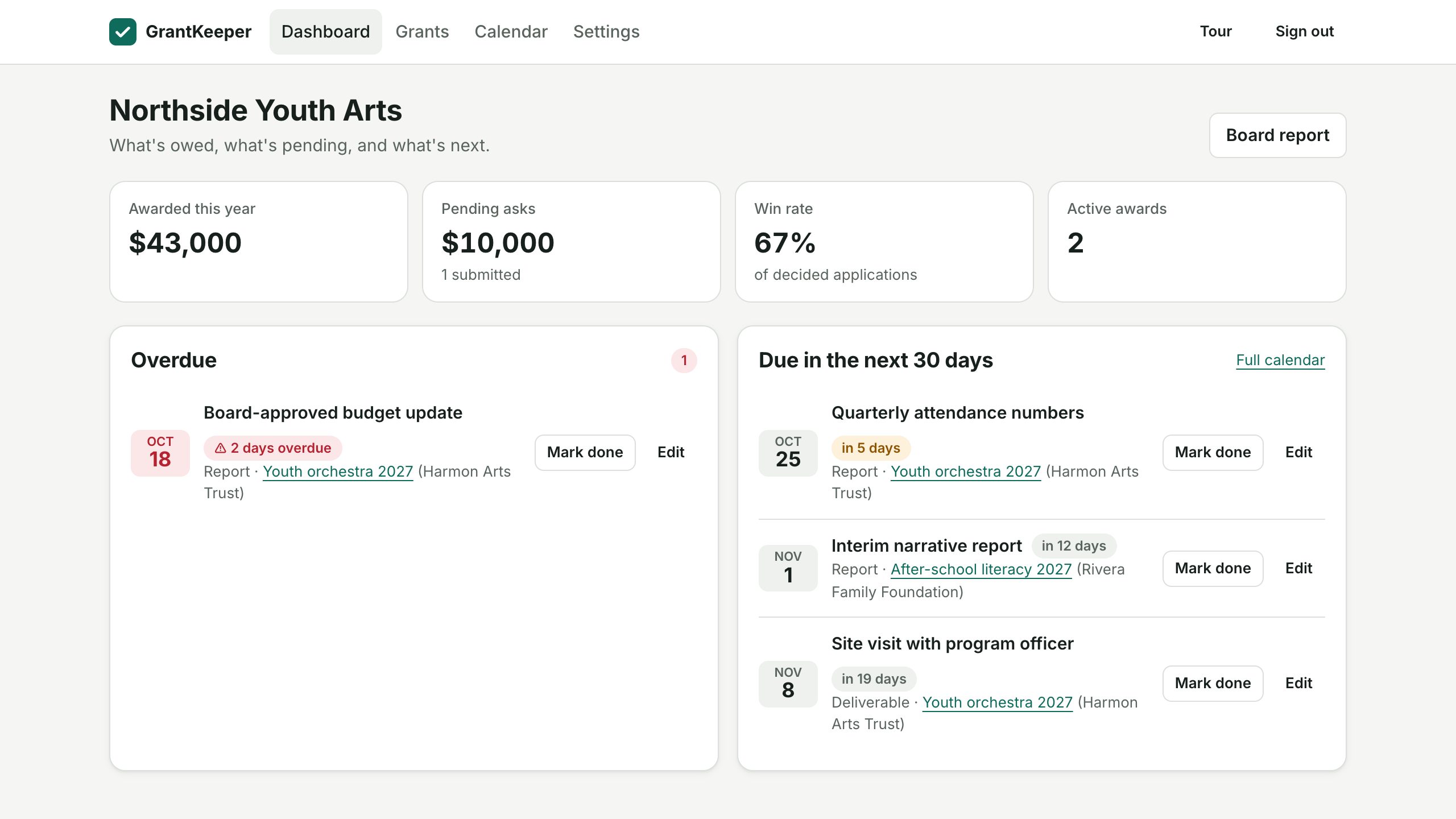
GrantKeeper is built around exactly that list. Each grant holds its own reports, deliverables, payments and renewals, each with a due date and an owner. Owners get an email 30, 14, 7 and 1 days before each deadline and on the day, overdue items are flagged on the dashboard, and a Monday email lists the next two weeks. Every deadline also appears in Google Calendar or Outlook.