GrantKeeper
Free grant tracking spreadsheet (and when to outgrow it)
A spreadsheet is a perfectly good way to start tracking grants. Download our free template, see how to set it up so deadlines don't slip, and check the signs that it's time for something that reminds people for you.
Grant tracker template (CSV)
Twelve columns, three example rows. Opens in Excel, Google Sheets, Numbers or LibreOffice. Delete the example rows and add your own.
Already have your deadlines in a sheet? Paste them into the free grant deadline calendar generator to get them into Google Calendar or Outlook with reminders.
What's in the template
| Column | What to put there |
|---|---|
| Grant | The program or project name you use internally. |
| Funder | The foundation, company or agency. |
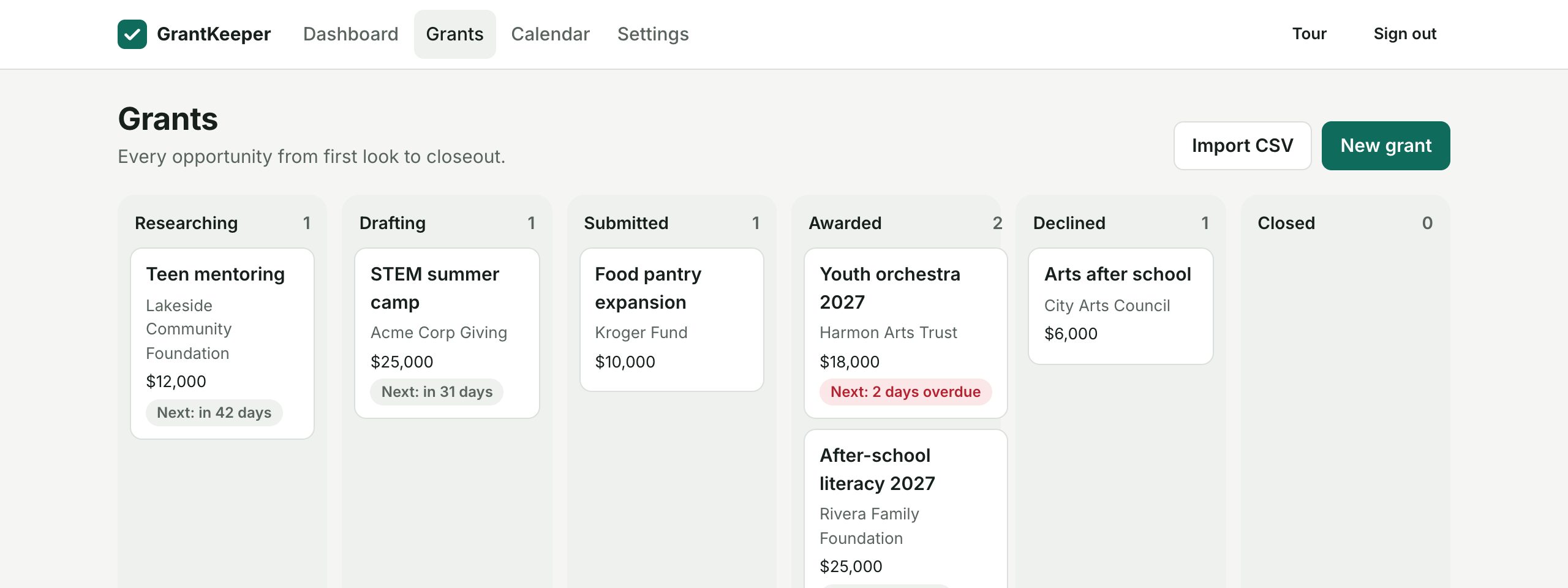
| Status | Researching, Drafting, Submitted, Awarded, Declined or Closed. |
| Application deadline | When the proposal or letter of inquiry is due. |
| Amount requested / Amount awarded | Plain numbers, no currency signs, so the sheet can total them. |
| Grant period start / end | From the grant agreement. You need these to work out relative report dates. |
| Next report / Next report due | The next thing the funder expects, and its date. |
| Report owner | The person who will write or send it. |
| Notes | Restrictions, contacts, anything you'd want to know in a year. |
Make a spreadsheet work
- Use dates, not text. Type 2027-01-15 rather than "mid January", so you can sort by date and spot what's close.
- Highlight what's near. Add conditional formatting to "Next report due": amber within 30 days, red once the date has passed.
- Keep one copy. Store it in a shared drive and link to it; emailed copies drift apart within a month.
- Roll the next report forward. When you submit a report, replace it with the next one straight away, or the row looks finished when it isn't.
- Put the dates in a calendar too. A sheet only helps when someone opens it; a calendar reminder finds you.
Signs you've outgrown it
The spreadsheet is fine while one person holds a handful of grants. These are the usual breaking points:
- An award has more reports than one "Next report" column can hold, so some live in the Notes.
- More than one person owns deadlines and needs to be reminded, not just you.
- Your board or executive director asks for a summary and you rebuild it by hand each time.
- You've had a near miss: a report sent late, or found the week it was due.
Spreadsheet or GrantKeeper
| Spreadsheet | GrantKeeper | |
|---|---|---|
| Cost | Free | Free for 2 active awards; Starter €29 a month, Team €49 a month |
| Reports per grant | One column, or extra sheets you link by hand | As many as the funder requires, each with its own date and owner |
| Reminders | Only if you set them up yourself | Email to the owner at 30, 14, 7 and 1 days, plus a Monday digest |
| Calendar | Copy dates in by hand | Automatic, in Google Calendar, Outlook or Apple Calendar |
| Board summary | Built by hand | One printable page |
| Flexibility | Any column you like | Fixed fields, plus notes on each grant |
| Getting your data out | It's already a file | CSV download of all grants and deadlines, any plan |
If you move, you don't start over. GrantKeeper imports a CSV from Excel or Google Sheets, guesses which column is which (this template's columns are matched automatically), and shows a preview before anything is saved. Columns it doesn't use are skipped, so add report deadlines in GrantKeeper after the import.